
Income & expenses in seconds
A big keypad, your own categories with icons and colours, notes and dates. Log a purchase before you leave the shop.
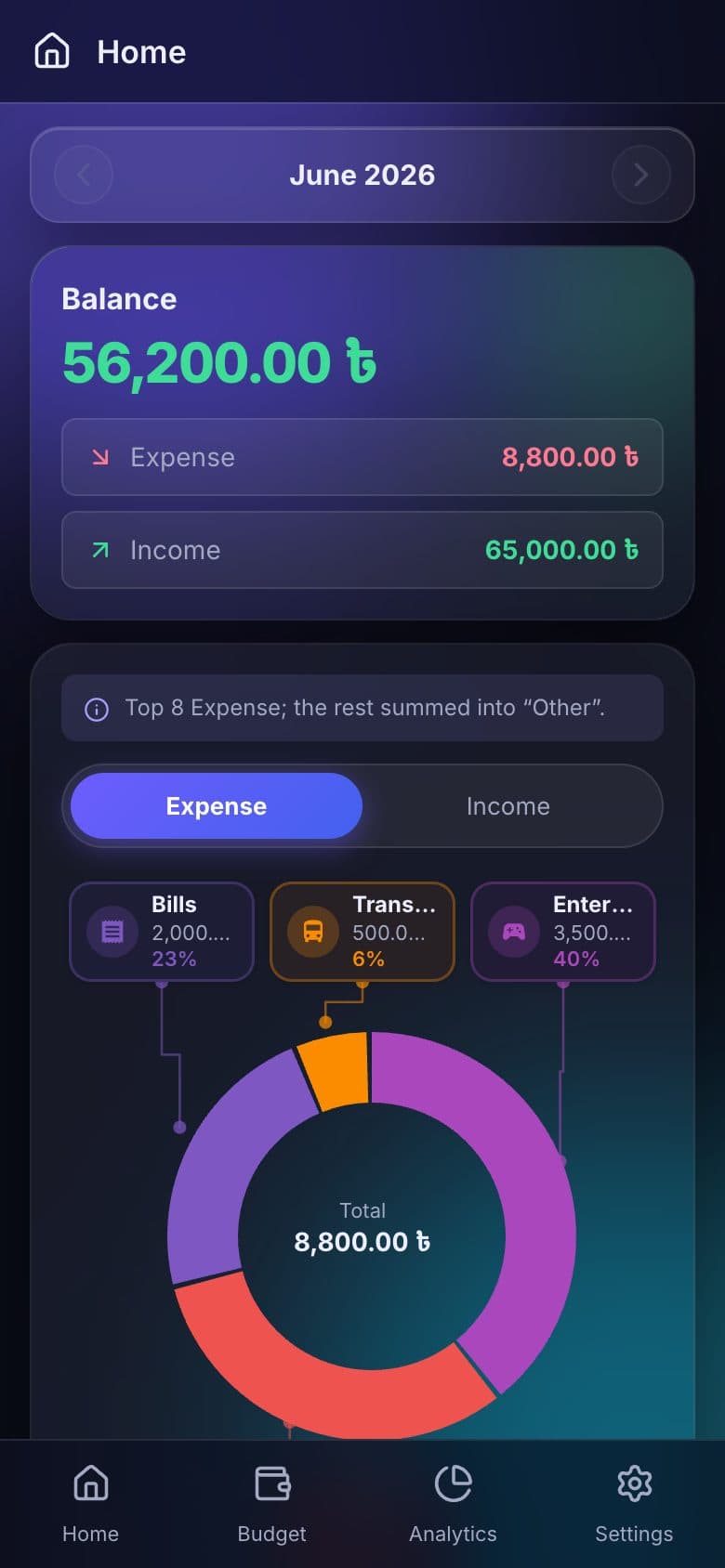
SpendFlow tracks your income and expenses, keeps your budgets honest and turns each month into clear charts. Use it on the web or on Android — and with a web account, add expenses straight from Telegram or your AI chat.


Built for everyday spending — quick to log, easy to read, nothing locked behind a paywall.
A big keypad, your own categories with icons and colours, notes and dates. Log a purchase before you leave the shop.
Set a monthly limit per category and watch the progress bar fill up as you spend.
Category donut charts, top spending and trends show exactly where the money went.
Cash, bank, mobile wallet — track every account, see net worth per account and carry balances over from month to month.
Attach a picture of the receipt to any transaction so you can find it later.
Import CSV files — including exports from the SpendFlow Android app — with duplicate detection and undo. Export any month anytime.
Log fill-ups with odometer readings and see your real km per litre over time.
English, বাংলা, Русский, ไทย and Deutsch — with dark and light themes.
Add SpendFlow to your home screen or desktop and use it like a native app, with secure cloud sync through your Google sign-in.
Rarely found in a finance app — and free right now.
Type an expense like you would text a friend. The bot saves it to your SpendFlow web account, and you can fix the category, account or undo with one tap.
Example
50 coffee
/budget
📊 Budgets this month Food ▓▓▓▓▓▓░░░░ 62% (4,960.00 ৳ / 8,000.00 ৳)
Connect SpendFlow to your AI chat app as a custom connector (MCP). Then just ask: add expenses, check budgets or get a spending summary in plain language.
https://spendflow-daily-finance.vercel.app/api/mcpExample
Spent 450 on lunch, paid cash
⚙ add_expenseDone — added 450.00 ৳ for lunch under Food · Cash.
How is my food budget looking?
⚙ get_budget_statusYou've used 62% of your 8,000 ৳ food budget this month — 3,040 ৳ left.
Open the web app and sign in with Google or your email, or install the Android app from Google Play. Not ready? Try the demo first — no account needed.
Add income and expenses in the app. With a web account you can also send them from Telegram or your AI chat.
Budgets, charts and account balances update instantly so you always know where you stand.
The web app works in any modern browser. The Android app is on Google Play. iOS is on the way.
Phone, tablet or desktop browser. Installable as an app; your data syncs to your SpendFlow account (sign in with Google or email).
Get SpendFlow from Google Play. Syncing with your web account is coming soon.
A native iOS app is in progress. Until then, the web app works great in Safari — add it to your home screen.
We're making a short video that shows SpendFlow, the Telegram bot and the AI connector in action. Meanwhile, the live demo lets you click around with sample data.
Try the live demoSpendFlow is a free web app for tracking daily income and expenses. It shows monthly overviews, category charts and account balances, supports budgets and multiple currencies, and syncs your data securely to the cloud so it is available on any device you sign in from.
Yes. SpendFlow is completely free — no subscription, no ads and no locked features. Sign in with your Google account and start tracking right away, or try the interactive demo without creating an account.
Yes. SpendFlow is a progressive web app (PWA). Open it in your browser and choose “Add to Home Screen” on your phone or “Install” on desktop to use it like a native app, with an offline screen when the connection drops.
Yes. You sign in with Google or a one-time email code (no password), your data is stored in a secure cloud database that only your account can access, and you can export everything as CSV or permanently delete your account and all of its data at any time.
Yes. Import transactions from a CSV file — with duplicate detection and one-tap undo — and export any month or your full history as CSV whenever you like.
Yes. The SpendFlow Android app is available on Google Play. An iOS app is coming soon — until then, iPhone users can use the web app and add it to their home screen from Safari.
In SpendFlow, open Settings → Connect Telegram and follow the link to the bot. Once linked, send messages like “50 coffee” to add an expense or “+5000 salary” to add income. Commands such as /recent, /budget, /report and /undo let you review and fix entries from the chat.
Yes. SpendFlow offers an MCP connector. Copy the connector URL from Settings → AI Chat, add it as a custom connector in your AI chat app and approve access in your browser. The assistant can then add transactions and read your categories, accounts, budgets and reports. You can revoke access at any time.